


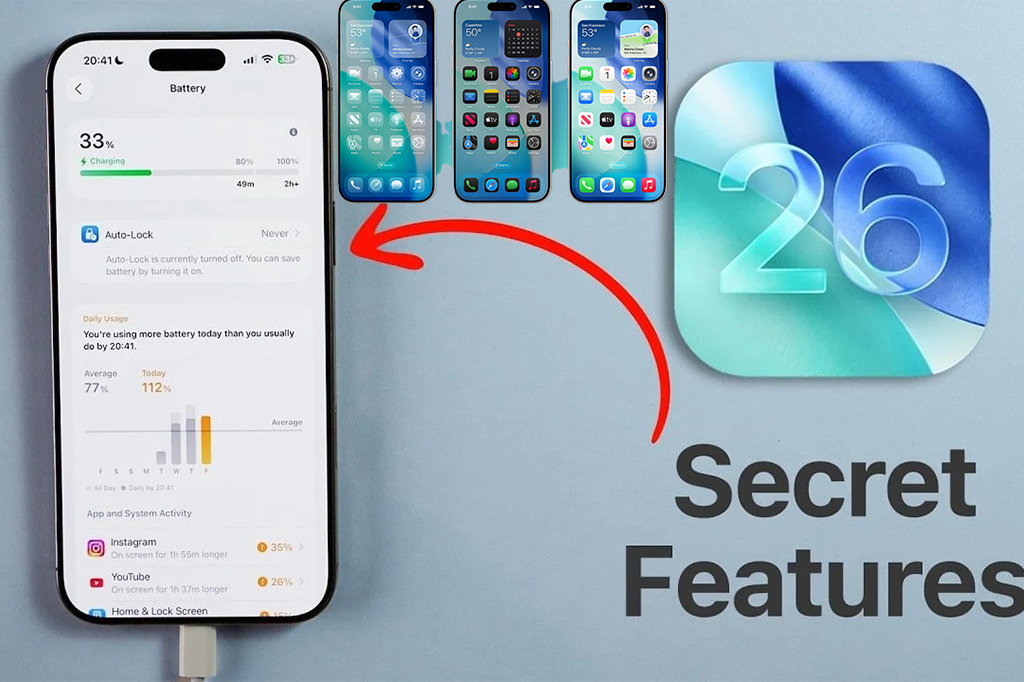
Apple kicked off WWDC 2025 with one of its most ambitious iOS updates in recent years. The company officially revealed iOS 26, a release that not only redefines the iPhone experience but also introduces a brand-new design language called “Liquid Glass.” With this release, Apple is also aligning its software ecosystem by jumping the version number to 26 across iOS, iPadOS, and macOS, ensuring consistency across all platforms.
While the spotlight was on the elegant design overhaul, Apple also packed in a host of powerful tools—from AI-powered translation in Messages to a virtual health coach—along with dozens of small but meaningful improvements that make everyday iPhone use smoother.
Here’s a breakdown of the biggest highlights of iOS 26.
A Fresh Look: Liquid Glass Design
The most striking change in iOS 26 is the Liquid Glass design language. It brings a more fluid, layered interface with softer transparency effects that feel modern yet familiar. Apple describes it as a way to make digital elements look “alive,” responding naturally to light and movement.
This design will be consistent across iPhones, iPads, and Macs, helping users feel at home no matter what Apple device they’re using.
Smarter Everyday Utilities
Some of the best updates in iOS 26 are small tweaks that have a huge impact on daily use.
-
Customizable Alarm Snooze: For the first time, users can choose exactly how long they want their snooze to last, anywhere from 1 to 15 minutes. No more being stuck with Apple’s classic 9-minute snooze.
-
AI in Shortcuts: Shortcuts now integrate local or cloud-based AI models, letting you add smart features like text summarization or auto-responses directly into your automations.
-
Safari Gestures: A quick double-tap on the three-dot menu instantly bookmarks a page—making web saving faster than ever.
-
Smarter Screenshots: The redesigned screenshot menu uses Visual Intelligence to suggest summaries, read content aloud, or even answer questions about what’s on your screen.
These refinements show Apple is doubling down on small conveniences that add up to a more seamless iPhone experience.
Phone App Gets Supercharged
For many, the Phone app is still the most-used feature on an iPhone, and iOS 26 gives it a significant upgrade.
-
Call List Filters: Users can now separate their call log by missed calls, voicemails, unknown callers, and spam.
-
Focus by SIM: Dual-SIM users can set focus modes for each line, helping separate work and personal life.
-
Revamped Call Interface: A new overflow menu brings call recording, translation, and assistive features to your fingertips.
-
Detailed Call History: Tapping a contact now reveals their entire call history in one place.
Better Battery Insights and Control
Battery management has always been crucial for iPhone users, and iOS 26 introduces a complete battery menu overhaul.
-
A new performance view lets you see daily and weekly usage at a glance.
-
Per-app insights now flag apps that consume unusual background power.
-
The new adaptive power mode automatically reduces brightness or slows non-essential tasks during heavy drain.
-
Charging details are more transparent, with estimated charging times and an option to override charging limits for a single session.
These upgrades mean users finally get more transparency and control over how their iPhone consumes power.
Reminders, Messages, and Apple Music Get Smarter
Apple’s core apps are also getting meaningful improvements:
-
Reminders: Now auto-categorizes tasks and even extracts items from shared content. For example, sharing a recipe will instantly create a list of ingredients in Reminders. You can also create a reminder directly from a phone call entry.
-
Messages: Users can now highlight and save partial text from specific messages, adding more flexibility.
-
Apple Music: iOS 26 brings playlist folders, crossfade transitions, and an “automix” mode that blends songs based on tempo. Plus, the Lock Screen features new animated album art for a more immersive vibe.
Camera and Photography Upgrades
For photo lovers, iOS 26 includes quality-of-life improvements in the Camera app:
-
iPhone will now nudge you if your lens is dirty, helping avoid blurry shots.
-
A new Indicators menu lets you toggle on-screen hints for Flash, Live Photo, and video formats.
-
Camera Adjustments provide direct control over settings like exposure and stabilization.
These tweaks give iPhone photographers finer control while still keeping things intuitive.
Smarter Language Tools
Language support is expanding significantly:
-
Bilingual Suggestions in 10 languages now let you type in English while receiving suggestions in both Latin and local scripts.
-
New Arabic transliteration and 24-key Thai keyboards improve accessibility for global users.
-
iOS 26 also suggests adding new keyboards if you frequently consume or send content in another language.
This push makes the iPhone feel more inclusive for multilingual users worldwide.
Podcasts, Gaming, and Health
Rounding out the update are improvements across Apple’s ecosystem:
-
Podcasts now support playback speeds from 0.5x to 3x, along with a dialog boost feature to make voices clearer.
-
A new Gaming app aims to centralize your iOS gaming experience.
-
The Virtual Health Coach uses on-device intelligence to suggest wellness routines, workout adjustments, and healthier daily habits.
Final Thoughts
With iOS 26, Apple isn’t just giving the iPhone a fresh coat of paint—it’s making the device smarter, more personal, and more adaptable. The Liquid Glass design creates a modern aesthetic, while subtle but powerful tools—like customizable snooze, adaptive battery mode, and bilingual suggestions—show Apple’s focus on refining the details that matter most to everyday users.
As the developer beta rolls out, we’ll likely uncover even more hidden gems. But one thing’s clear already: iOS 26 feels like the most user-centered iPhone update in years.
