


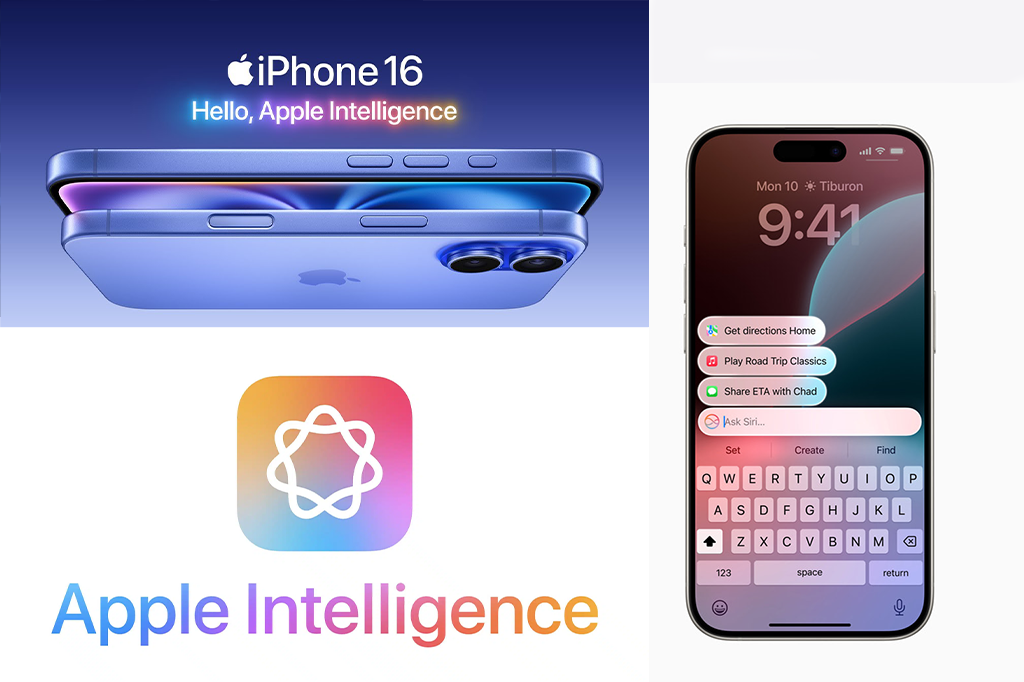
If you’ve upgraded to a newer iPhone model recently, you may have noticed Apple Intelligence quietly slipping into your most-used apps like Messages, Mail, and Notes. Apple introduced this system-wide AI upgrade in October 2024, and it’s quickly becoming one of the company’s boldest moves in years.
While Google, OpenAI, and Anthropic are racing to dominate generative AI, Apple is taking its own path — positioning Apple Intelligence as a practical, privacy-focused AI assistant built directly into the devices you already use.
🤔 What is Apple Intelligence?
Apple markets it as “AI for the rest of us” — a nod to its goal of making AI simple, useful, and accessible without the complexity of standalone apps or confusing menus.
Like ChatGPT and Google Gemini, Apple Intelligence is trained on large-scale models, but Apple’s twist lies in tight integration with iOS, iPadOS, and macOS. Instead of being an add-on, it quietly powers tasks across your system.
Some highlights include:
-
Writing Tools – Summarize long emails, reword texts, proofread, or generate drafts in Mail, Messages, and Notes.
-
Image Tools – Generate custom emojis (Genmojis) and create visuals in the Image Playground app.
-
Smarter Siri – A long-awaited upgrade that finally makes Siri context-aware, proactive, and cross-app functional.
🎨 Apple Intelligence Features
✍️ Writing Tools
Available across apps like Mail, Messages, Pages, and Notifications, Writing Tools let you:
-
Summarize text in seconds
-
Rewrite content with a different tone
-
Auto-compose messages or documents
This is Apple’s answer to tools like Grammarly or ChatGPT, but built natively into iOS.
🌟 Image Playground & Genmoji
Apple is also entering the AI image generation space. With Image Playground, you can generate creative illustrations and visuals to drop into Keynote slides, Messages, or social posts.
And then there’s Genmoji — Apple’s custom AI emojis that match its signature design style. Think of it as personalized stickers powered by AI.
🗣️ Siri Reinvented
Once a pioneer, Siri had fallen behind — but Apple Intelligence breathes new life into it.
Key upgrades include:
-
Contextual Awareness – Siri knows what’s on your screen and can act accordingly.
-
Cross-App Actions – You can edit a photo, then instantly insert it into a text, all with Siri.
-
Visual Redesign – Instead of the old orb, Siri now appears as a glowing light around your iPhone’s edges.
Apple teased an even more advanced “personal context” Siri (understanding your relationships, routines, and conversations), but it was delayed until at least 2026 due to reliability issues.
👀 New Features Coming in iOS 26
At WWDC 2025, Apple previewed two big new Apple Intelligence tools:
-
Visual Intelligence – Search the web for information about images you’re viewing.
-
Live Translation – Real-time translations directly inside Messages, FaceTime, and Phone apps.
Both features are scheduled to roll out later in 2025 with iOS 26.
📅 When Was Apple Intelligence Unveiled?
Apple officially introduced Apple Intelligence at WWDC 2024, shortly after rivals like Google and OpenAI made big AI announcements. Many thought Apple had missed the AI wave, but it turned out the company was working on its own deeply integrated, privacy-first approach.
The first wave arrived in October 2024 with iOS 18.1, iPadOS 18.1, and macOS Sequoia 15.1.
The second wave followed in December 2024 with iOS 18.2, bringing features like Genmoji, Image Playground, Visual Intelligence, and even ChatGPT integration.
📱 Which Devices Support Apple Intelligence?
Apple Intelligence isn’t available on every device — you’ll need modern Apple Silicon chips (A17 Pro or M1 and later).
✅ Supported Devices Include:
-
iPhones: iPhone 15 Pro / Pro Max, all iPhone 16 models
-
iPads: iPad Pro (M1+), iPad Air (M1+), iPad mini (A17+)
-
Macs: All Macs with M1, M2, or M3 chips (MacBook Air, MacBook Pro, iMac, Mac mini, Mac Studio, Mac Pro with Apple Silicon)
🔒 How Does Apple AI Work Without the Internet?
Unlike ChatGPT or Gemini, Apple Intelligence runs many tasks directly on-device using small, optimized models.
This means:
-
Faster performance (no server lag)
-
Better privacy (your data doesn’t leave your iPhone or Mac)
For more complex requests, Apple uses Private Cloud Compute — secure Apple Silicon-powered servers that process queries with the same privacy protections as your device.
🌍 ChatGPT & Third-Party AI Integration
Apple shocked many by announcing a partnership with OpenAI.
-
Siri can ask ChatGPT for help with queries Apple Intelligence isn’t designed for (like recipes or trip planning).
-
Compose Tool: In any Writing Tools-enabled app, you can prompt ChatGPT to draft content for you.
Future partnerships are expected — with Google Gemini rumored to be next.
🛠️ Can Developers Use Apple Intelligence?
Yes — at WWDC 2025, Apple launched the Foundation Models framework.
This lets developers build AI features directly into their apps offline using Apple’s models. For example:
-
A study app could generate quizzes from your Notes.
-
A photo editor could apply AI-driven effects without sending data to the cloud.
This makes AI integration cheaper, faster, and more private for developers.
🚀 The Future of Apple Intelligence
Apple’s approach to AI is measured, pragmatic, and privacy-first. While competitors push experimental tools, Apple is focused on seamlessly blending AI into everyday apps.
From writing assistance and image generation to a smarter Siri and live translation, Apple Intelligence is setting the stage for a new era where your iPhone and Mac feel more like a true assistant than ever before.
And with iOS 26 on the horizon, Apple is just getting started.
